• We all love watermelons but not for your project!


    Project Management and watermelons

    In the world of project management, success is often measured by dashboards filled with green status indicators suggesting everything is “on track.” But just like a watermelon, these projects can appear green on the outside and red on the inside. This deceptive appearance is known as the Watermelon Effect.

    What Is the Watermelon Effect?

    The Watermelon Effect occurs when project reports and metrics show that everything is progressing well (green status), but beneath the surface, significant risks, delays, or performance issues (the red interior) are hidden or unreported.

    This disconnect typically arises when team members or project leads feel pressured to present positive updates or when project governance lacks transparency and continuous validation of data. As a result, problems remain unnoticed until they escalate into critical failures, often when it’s too late to course-correct.

    Why It Happens

    Several factors contribute to the Watermelon Effect:

    1. Pressure to Show Success: Teams may fear scrutiny or blame, so they report overly optimistic status updates.
    2. Poor Communication: Information silos prevent accurate data sharing across teams or stakeholders.
    3. Ineffective Metrics: Relying solely on high-level KPIs hides underlying issues.
    4. Lack of Psychological Safety: Team members feel unsafe admitting challenges or risks.
    5. Weak Governance: Status reporting becomes routine rather than a genuine reflection of progress.

    Real-World Example

    Imagine a digital transformation project that reports 90% of deliverables as “on track.” However, user testing reveals low adoption rates and missing functionality and several unresolved bugs in the UAT. 

    This situation leads to everyone being unhappy. This effects the clients, PMO, vendors and trainers. 

    The project manager, unaware of these issues due to delayed reporting and filtered communication, faces a major failure post-launch. The project looked healthy externally  but internally, it was red…

    How to Avoid the Watermelon Effect

    1. Encourage Radical Transparency
      Create a culture where truth-telling is valued over perfection. Reward honesty and treat issues as opportunities to improve rather than grounds for blame.
    2. Use Leading Indicators, Not Just Lagging Ones
      Instead of only measuring schedule or budget adherence, track early warning metrics such as stakeholder engagement, team morale, and backlog health.
    3. Regular Deep-Dive Reviews
      Conduct independent project health checks, interviews, data validations, and risk audits to verify the accuracy of reported status.
    4. Foster Psychological Safety
      Encourage team members to speak up about risks or failures without fear. Managers should model this behavior by admitting their own mistakes.
    5. Integrate Data-Driven Dashboards
      Use real-time project management tools (like Power BI, Jira, or Smartsheet dashboards) that automatically pull data from source systems to reduce human bias in reporting.
    6. Ensure Executive Engagement
      Senior leaders should engage directly with project teams, not just the reports. Hands-on reviews can uncover red flags early.

    Final Thoughts

    The Watermelon Effect isn’t just about poor reporting it’s about culture, trust, and leadership. A “green” dashboard may satisfy stakeholders temporarily, but hiding the red only delays the inevitable. Transparency, open communication, and accurate metrics ensure your project isn’t just green on the outside and red inside, but healthy all the way through…

    Need more help on resolving projects in state of watermelon? Connect with me…


  • The biggest meltdown of all.. if you have a toddler you know what I mean.. 😁

    May, the ever-optimistic Project Manager, began her Monday like every other, armed with a color-coded Gantt chart, three cups of coffee, and a motivational playlist titled “We Got The power” hoping to motivate her project team to start this extremely simple 2 week project.

    What’s the project? Super simple project?

    The project? A simple “two-week” system upgrade. Easy, simple right? Wrong. So wrong.

    Day 1:
    The developer team lead “Mr.Aravind” said, “We’re waiting on the test server.”

    The IT guy replied, Mr.Aravind’s best friend – Joe looked and Aravind questing his ability  “What test server?”

    Turns out the server was decommissioned last year…hmmm and now housed someone’s cat memes archive lol.

    Day 3:
    May’s carefully planned timeline met its first fatal blow when the designer’s laptop “accidentally” upgraded itself to Windows 11 mid-presentation. “Don’t worry,” the designer said, “I saved everything.” Spoiler: she hadn’t as expected.

    Day 5:
    The stakeholder meeting was going great until someone asked, “So what’s the ROI?” and half the team collectively froze like deer in PowerPoint headlights.

    Wendy thought they talking about Mr.Roy, the new contractor.

    Day 7:
    May tried to boost morale with donuts. But she accidentally bought gluten-free, sugar-free, taste-free, life sucking ones.

    Even the printer refused to eat them when she tried bribing it to stop jamming.

    Day 10:
    The test environment crashed five minutes before the final demo. The developer team went silent. The intern offered to “try turning it off and on again.” It actually worked but now the database was in Spanish.

    May thought she should call Bau to translate but he was off.

    Day 14:
    Finally, the big moment: project delivery. The slides loaded perfectly. The system actually ran. The client smiled. Everything was beautiful… until someone asked, “Can we just make one small change?”

    May smiled her project manager smile…. the one that says I love my job but also might scream into my coffee later… and replied, “Of course! I’ll just open a new change request.”

    And thus began Phase 2: The Sequel Nobody Asked For. ☕📊

  • Visio Plan 2 automation is one of the best tool so far that I have used for process mapping. 


    Microsoft Visio vs. Visio Plan 2 in world of AI.

    In a world where clarity drives efficiency, visual tools like Microsoft Visio have become essential for project managers, analysts, and business leaders. Visio turns complex workflows and systems into easy-to-understand diagrams helping teams plan, communicate, and execute projects with precision.

    But not all Visio versions are the same. Understanding the difference between Visio and Visio Plan 2 can help you choose the right solution and unlock powerful process mapping capabilities.


    What Is Microsoft Visio?

    Microsoft Visio is a professional diagramming and visualization tool designed to help organizations map out business processes, IT systems, and project workflows. Whether you’re designing an org chart, documenting a workflow, or visualizing a network, Visio helps translate complexity into clarity.

    It’s used across industries for process analysis, communication, and strategic planning, making it one of the most versatile tools in Microsoft’s ecosystem.


    Key Differences Between Visio and Visio Plan 2

    Feature Visio (Standard/Professional)Visio Plan 2Platform Desktop only Desktop + Web (Microsoft 365) Licensing One-time purchase Subscription (monthly/annual) Collaboration Limited Real-time co-authoring via OneDrive & Teams Templates Basic Advanced industry templates & BPMN 2.0 support Data Connectivity Manual Live linking with Excel, SharePoint & Power BI Automation None Integration with Power Automate Updates Static Continuous updates & cloud storage

    While both allow users to create professional diagrams, Visio Plan 2 takes it further with real-time collaboration, automation, and data-driven intelligence.


    Why Visio Plan 2 Elevates Process Mapping

    1. Cloud Collaboration

    Visio Plan 2 integrates with Microsoft Teams and OneDrive, allowing multiple users to work on the same diagram simultaneously. This eliminates version confusion and fosters seamless teamwork, especially for hybrid and remote environments.

    2. Data-Driven Insights

    By linking diagrams to live data in Excel, SharePoint, or Power BI, organizations can visualize real-time metrics. Process maps update automatically when data changes, transforming static visuals into living dashboards that improve decision-making.

    3. Process Standardization with BPMN 2.0

    Visio Plan 2 supports Business Process Model and Notation (BPMN 2.0) standards, ensuring your workflows are not just visually appealing but compliant and consistent across the organization.

    4. Integration and Automation

    Through Power Automate, teams can connect Visio diagrams to automated workflows, triggering approvals, updates, or alerts when a process stage changes. This reduces manual effort and enhances operational efficiency.


    The Strategic Advantage

    Visio Plan 2 moves process mapping from static documentation to dynamic process management.
    By connecting people, data, and automation, it allows project managers and business leaders to see the full picture and continuously optimize how work gets done.

    For teams aiming to modernize operations, improve collaboration, and embrace digital transformation, Visio Plan 2 is more than just a tool it’s a smarter way to visualize progress.


    Learn More about these tools below.


    If you want help set up your visio and want a quick tutorial connect with me.


  • Introduction

    In today’s fast-paced world, project managers aren’t just coordinators.  we’re strategic decision-makers, communicators, and innovators.
    But as the scope of projects grows, so does the complexity of managing people, timelines, data, and deliverables.

    That’s where AI and prompt engineering are reshaping the future of project management — and why I’ve made it a key part of my leadership toolkit.


    What Is Prompt Engineering?

    Think of prompt engineering as learning to speak the “language” of AI.
    It’s the art of crafting clear, structured instructions (called prompts) that help AI tools like ChatGPT, Gemini, or Copilot produce exactly the output you need whether it’s a risk matrix, meeting summary, or stakeholder report.

    In short: the better your prompt, the smarter your results.


    Why Project Managers Need It

    Project managers live at the intersection of people, process, and performance. We don’t just manage tasks we manage clarity. And that’s where prompt engineering creates real impact.

    Here’s how I use it in my day-to-day work:

    1. For Planning and Scoping

    I can design full project charters, timelines, and work breakdown structures in minutes by prompting AI with specific project details.

    Example:
    “Create a project charter for a 6-month IT infrastructure upgrade project including goals, stakeholders, risks, and success metrics.”

    The result? A solid foundation that saves hours of manual drafting.


    2. For Risk Management

    Instead of brainstorming risks from scratch, I use AI to simulate “what-if” scenarios and identify mitigation strategies.

    Prompt: “List 10 potential risks for a state-level software modernization project and suggest mitigation strategies for each.”

    It ensures I’m proactive, not reactive and always ready for the unexpected.

    Be mindful, some of these results might not be meaningful at all. You have to validate the material line by line. Time will be spent only in editing rather starting from scratch.


    3. For Communication and Reporting

    Every PM knows that communication can make or break a project.
    With AI, I can instantly turn raw updates into polished emails, executive summaries, or stakeholder briefs all while maintaining tone and professionalism.

    Prompt: “Write a weekly project progress report highlighting tasks completed, blockers, and next steps in a concise format for executive review.”


    4. For Team Productivity

    Prompt templates help me organize team priorities, stand-up notes, and sprint reviews in less time so we can focus more on progress and less on paperwork.

    Prompt: “Generate a daily task list for a project manager overseeing three developers and one QA specialist.”


    Tools I Leverage as an AI-Driven PM

    Tool Purpose Example Use ChatGPT / Gemini / Claude Brainstorming, documentation Drafting project plans and risk reports Notion AI / ClickUp AI Workflow automation Writing task updates and tracking deliverables Power BI Copilot / Excel AI Reporting & visualization Creating real-time dashboards Miro AI / FigJam AI Brainstorming & mapping Designing agile workflows and stakeholder maps

    Some tools. We all use Miro, why not use Miro Ai

    The Real Value: Strategic Thinking Over Manual Labor

    Prompt engineering isn’t about replacing human intelligence — it’s about augmenting it.
    By letting AI handle repetitive tasks, I focus more on strategy, communication, and leadership — the core skills that truly drive projects forward.

    This shift allows me to:

    • Reduce documentation time by 50–70%
    • Make faster, data-driven decisions
    • Improve collaboration and transparency
    • Lead teams with clarity

    The Future of Project Management Is AI-Assisted

    As government agencies, healthcare systems, and enterprises embrace digital transformation, AI-fluent project managers will stand out.
    Understanding prompt engineering doesn’t just make me more efficient it positions me as a future-ready leader who knows how to combine human insight with intelligent automation.


    Final Thought

    Project management has always been about getting the right things done the right way.
    Now, with prompt engineering, I can do that faster, smarter, and with greater impact.

    If you’re curious about how AI can elevate your own project leadership, start small:
    Try refining your next project update or risk report using a custom AI prompt. You’ll be amazed how much clarity and time you gain.


    Thanks for reading


  • Do we need this change? How to succeed with this new change?


    Introduction

    Government Technology, or GovTech, refers to the use of digital tools to improve public service delivery, citizen engagement, and internal government operations. As societies become more data-driven, Artificial Intelligence (AI) is emerging as a core driver of modernization, efficiency, and transparency in government systems.

    AI enables governments to process vast amounts of data, predict future needs, automate repetitive tasks, and make better, evidence-based decisions. In short, AI doesn’t replace people, it empowers public servants to work smarter, faster, and more effectively.


    1. Understanding AI in the Context of GovTech

    Artificial Intelligence (AI) refers to machines that can perform tasks requiring human-like intelligence, such as learning, reasoning, and problem-solving.
    In GovTech, AI can help governments manage data, improve service quality, reduce operational costs, and support real-time decision-making.

    Examples of AI tools in GovTech include:

    • Machine learning algorithms for data prediction
    • Natural language processing (NLP) for chatbots and text analysis
    • Computer vision for infrastructure inspection
    • Robotic Process Automation (RPA) for administrative tasks
    • Predictive analytics for policy planning

    2. Key Applications of AI in Government Technology

    a. Automation and Administrative Efficiency

    AI can handle repetitive and time-consuming tasks such as form verification, record management, and data entry.
    Example: AI-driven systems that automatically process driver’s license renewals or public benefits applications.
    Impact: Saves time, reduces errors, and allows human employees to focus on complex tasks.


    b. Predictive Policy and Data Analytics

    Governments can use AI to analyze social, economic, and environmental trends.
    Example: Predicting unemployment spikes, housing shortages, or healthcare demand.
    Impact: Helps leaders create proactive, data-informed policies rather than reactive ones.


    c. AI-Enhanced Cybersecurity

    AI detects suspicious activities, identifies system vulnerabilities, and responds to threats faster than humans can.
    Example: Real-time monitoring of government servers to detect cyberattacks.
    Impact: Protects citizen data and maintains trust in digital systems.


    d. Personalized Citizen Services

    AI makes it easier for citizens to interact with government systems.
    Example: Chatbots and virtual assistants that guide users through applying for benefits, paying taxes, or reporting issues.
    Impact: Improves accessibility and user satisfaction.


    e. AI in Project and Program Management

    AI tools analyze project data, identify risks, and suggest improvements.
    Example: A state IT department using AI dashboards to track project budgets and contractor performance.
    Impact: Increases accountability and ensures projects stay on schedule and within budget.


    f. AI in Data Transparency and Communication

    AI can summarize reports, visualize budgets, and translate complex government data for public understanding.
    Example: An open-data portal that uses AI to show where tax dollars are being spent.
    Impact: Builds public trust through transparency and easy-to-understand data.

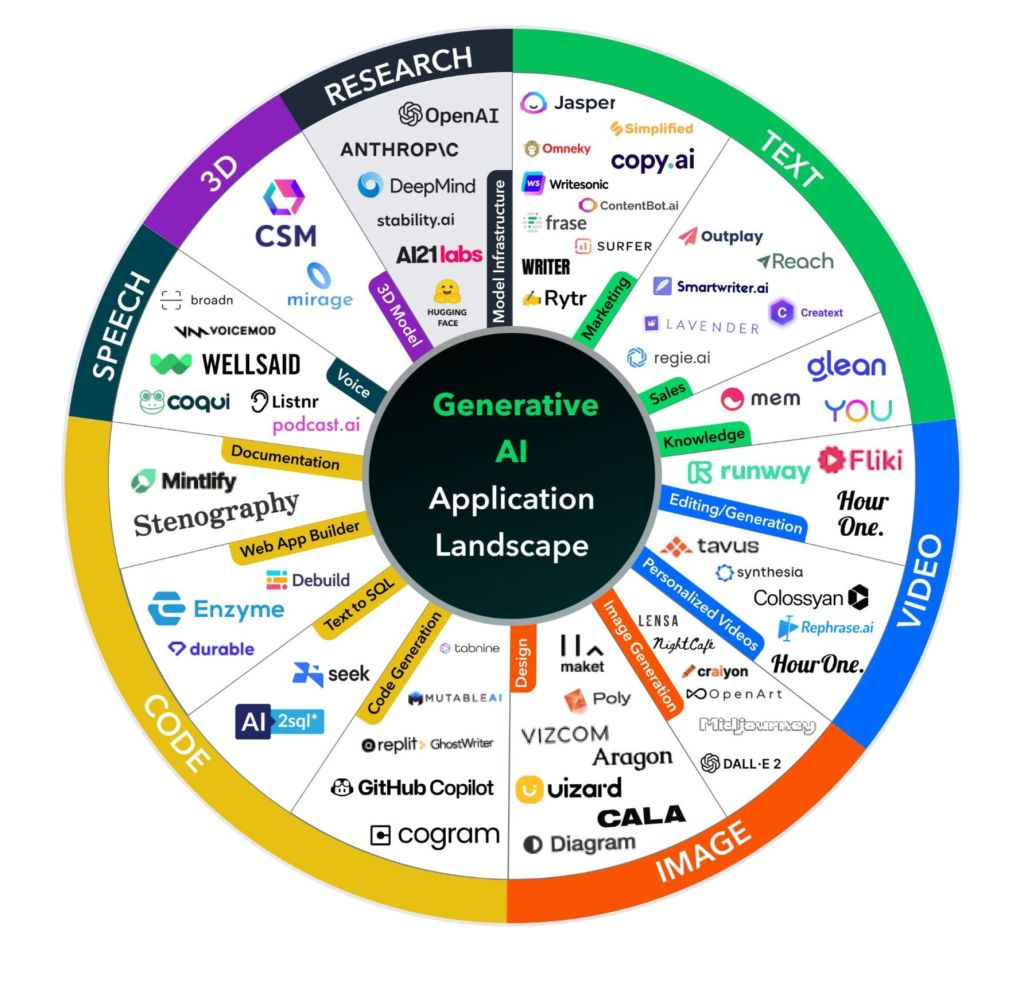
    Some of the AI tools to use.

    3. Benefits of AI in GovTech

    AreaTraditional ApproachAI-Driven ApproachResult Service Delivery Manual, slow Automated, 24/7 Faster, citizen-focused services Policy Planning Reactive Predictive Smarter, data-driven decisions Workforce Productivity Overloaded staff AI-assisted tools Better performance, less burnout Cybersecurity Static defenses Adaptive monitoring Stronger protection Transparency Complex data Simplified insights Increased public trust


    4. Ethical and Practical Considerations

    While AI provides enormous benefits, responsible implementation is essential.

    • Ethical AI: Avoid algorithmic bias that could affect equity and fairness in public programs.
    • Data Privacy: Comply with laws like GDPR or CCPA to protect citizen information.
    • Accountability: Ensure AI decisions are explainable and transparent.
    • Change Management: Train public employees to work effectively with AI systems.

    5. Global Examples of AI in Action

    • Estonia: Fully digital government has 99% of services available online using AI-driven identity systems.
    • Singapore: Smart Nation initiative uses AI for traffic management and citizen digital assistants.
    • United States: Departments like Defense and Health use AI for logistics, predictive maintenance, and public health surveillance.
    • Canada: AI supports immigration and natural resources management with automated systems.

    6. The Future of GovTech with AI

    The future of GovTech lies in intelligent automation, systems that can adapt, learn, and respond to citizens’ needs in real time. Governments that invest in AI today will build faster, fairer, and more resilient public institutions tomorrow.

    AI will not only change how governments deliver services — it will redefine what citizens expect from their governments.


    Conclusion

    Artificial Intelligence represents a major step forward for public administration. By integrating AI into GovTech, governments can enhance efficiency, equity, and transparency ultimately improving the lives of citizens. However, success requires a balance between innovation and responsibility, ensuring that technology serves humanity, not the other way around.


  • fictional story inspired by real experiences in government technology


    It was 6:45 a.m. when Maya Thompson sat in her car outside the federal building, staring at the tall concrete walls that both represented progress and oppression. She had spent 12 years climbing her way through government technology — from an entry-level analyst to a project manager overseeing digital modernization for a federal health program.

    Today was World Mental Health Day, but inside those walls, no one ever spoke about mental health — especially not Black and Asian women like her.

    Maya adjusted her badge, took a deep breath, and walked in.

    The Silent Struggle

    In meetings, she was always prepared her notes organized, her reports flawless, her tone measured. Yet, she was constantly interrupted by peers repeating her ideas moments later, suddenly “better phrased.” She noticed that when she was firm, she was labeled “aggressive.” When she was quiet, she was called “unengaged.”

    Her work spoke for itself but in government technology, where hierarchy meets legacy culture, bias often hides beneath professionalism. She could deliver a multimillion-dollar project on time, but still be questioned about whether she was “the right fit” to lead the next one.

    Maya often joked that she could debug code faster than she could debug bias in bureaucracy. But deep down, the exhaustion was real.

    By the end of each week, her mind buzzed with invisible burdens:

    • The pressure to represent an entire race and gender with every success.
    • The fear that any misstep would confirm someone’s stereotype.
    • The loneliness of being “the only one” in a leadership meeting.

    And when she went home, she didn’t feel the satisfaction of serving her country, she felt drained, unseen, and unprotected.

    The Turning Point

    That morning, something shifted. During a leadership call, someone mentioned World Mental Health Day and how “self-care is important.” lol.

    Maya almost laughed. She had heard those words before, posters in the hallway, wellness webinars, optional lunch talks; but none addressed the silent weight that women of color in tech carry.

    After the meeting, Maya decided to speak up. She wrote an internal blog post titled “The Invisible wall

    She shared how microaggressions, isolation, and double standards eat away at mental health. She wrote about the “extra code” women like her write every day, not in Java or Python, but in the unspoken language of survival, diplomacy, and restraint.

    Her post went viral across the agency intranet. Messages poured in from Latina engineers, Asian analysts, Black cybersecurity leads all saying the same thing: “Thank you. I thought it was just me.”

    For the first time, Maya realized that her story wasn’t just hers, it was a collective truth waiting to be acknowledged.

    A New Framework for Wellness

    Following the post, Maya led a discussion on mental health and equity in technology teams. Together, they drafted three commitments:

    1. Create Psychological Safety:
      Every team would have a “mental health check-in” during retrospectives, allowing space to talk about emotional and professional well-being,  not just project metrics.
    2. Address Bias in Performance and Leadership:
      Managers would receive training to recognize subtle bias and understand how it affects advancement, recognition, and morale.
    3. Empower Representation and Mentorship:
      A network of women of color in government technology would meet monthly to support each other, share experiences, and advocate for systemic change.

    These weren’t just policies they were healing tools. Slowly, the culture began to shift. People listened more, interrupted less. Maya still faced challenges, but she no longer felt alone in the battle.

    The Message for World Mental Health Day

    This World Mental Health Day, Maya wrote one final note in her blog:

    “In government technology, we build systems to serve the public  but let’s not forget the humans who build those systems.

    For women of color in tech, mental health isn’t just about mindfulness or breaks. It’s about belonging, safety, and being seen for the full value we bring.

    Diversity without empathy is decoration.
    Inclusion with care that’s transformation.”


    Fictional Story Real Truth:
    Maya’s story is one of thousands. I hope you liked my fictional story.  Women of color in government technology continue to face invisible barriers that impact their mental health, leadership journeys, and sense of belonging.

    On this World Mental Health Day, let’s remember: equity is mental health care, and empathy is a tool as powerful as any code we deploy.


  • Introduction

    In 2025, the federal government entered a shutdown beginning October 1, after Congress failed to pass new appropriations.

    Roughly 750,000 federal employees were projected to be furloughed, with additional staff required to continue working (in “excepted” roles) but without pay until funding is restored.

    Some specific impacts and tensions in the 2025 shutdown:

    • The IRS announced it would furlough about 34,000 employees (roughly 50 % of its workforce) beginning October 8.
    • The Department of Health and Human Services (HHS) expects to furlough 41 % of its workforce, severely affecting public-health work and oversight.
    • The Office of Management and Budget (OMB) issued revised guidance removing or softening language that had previously affirmed guaranteed back pay for all furloughed employees.
      • Under that OMB view, only excepted employees (those forced to work despite the lapse) are explicitly guaranteed back pay; furloughed workers’ retroactive pay is portrayed as dependent on later congressional appropriation.
      • This interpretation conflicts with prior understandings under the Government Employee Fair Treatment Act (GEFTA) of 2019, which many believed guaranteed back pay to all.
      • Legal experts, labor unions, and lawmakers have challenged the OMB view, arguing that the law mandates retroactive pay and cannot be overridden by administrative reinterpretation.
    • In the shutdown’s early days, flight delays rose sharply: staff shortages in air traffic control accounted for more than half of delays (far above normal levels).
    • Transportation Secretary warned that air traffic controllers repeatedly failing to show up might face disciplinary action, including dismissal.
    • Some agencies are considering reduction in force (RIF) plans (i.e. permanent cuts or layoffs) if the shutdown drags on.
    • Many federal services are being scaled back or halted — taxpayer assistance at IRS, research at NIH and CDC, certain public health oversight, etc.

    So, the 2025 shutdown brings many of the same structural effects as past ones, but with heightened legal risk around back pay and added pressure for permanent cuts.


    What Is a Furlough — Recap & 2025 Context

    Furlough = a temporary non-duty, non-pay status imposed on federal employees when there is a lapse in appropriations (i.e. when funding has run out) and their roles are considered nonessential. Employees are not allowed to perform work, even voluntarily, during the furlough period (in most cases) under the Antideficiency Act.

    In 2025, the same general rules apply, but tension is higher:

    • The 2019 law (GEFTA) was intended to guarantee retroactive pay for furloughed employees. But OMB’s 2025 guidance is questioning whether that guarantee can be enforced without explicit new appropriation.
    • Because of that tension, some furloughed employees in 2025 may face uncertainty about when (or even whether) back pay will be delivered.
    • Agencies may base decisions on the OMB guidance or challenge it — leading to legal disputes or delays.

    So in 2025, furlough means essentially the same status, but with extra uncertainty and stress around compensation and job security.


    Who Gets Paid — Excepted vs Furloughed vs Funded Roles (2025 Update)

    During the 2025 shutdown, employees generally fall into these categories: Role During Shutdown Pay During Shutdown After Shutdown / Back Pay Status Excepted / essential employees (e.g. air traffic control, border security, emergency services) Must continue working No immediate pay during shutdown Under OMB’s new view, retroactive pay for excepted workers is more clearly guaranteed; previous expectations are that they will be paid for work done during shutdown. Furloughed employees (nonessential roles) Placed in non-duty, non-pay status No pay during the shutdown Under GEFTA, back pay was supposed to be automatic; but OMB’s new guidance casts doubt, indicating that retroactive pay may depend on Congress including it in new appropriation legislation. Employees in positions funded by non-appropriation sources (e.g. certain mandatory programs, fees, trust funds) May continue working May continue to receive pay from their funding sources Normal continuation; not affected by the lapse of discretionary appropriations

    Key uncertainties in 2025:

    • The removal of guaranteed back pay language in OMB’s 2025 guidance introduces legal conflict.
    • Some agencies (per OMB direction) are evaluating RIFs and permanent cuts, which could transform furloughs into terminations if the shutdown lasts long.
    • Because of the dispute, some furloughed employees may face delay or even nonpayment if Congress does not explicitly authorize the funds for retroactive pay.

    What Happens if the Federal Employee Is Military or in Uniformed Service in 2025

    Active-Duty Military / Uniformed Service Members

    • They are considered essential for national defense, so they continue their duties during a shutdown.
    • In the 2025 shutdown, there is growing concern that military pay could be delayed for upcoming pay periods, putting service members and their families under financial strain.
    • Advocacy groups and some lawmakers have pushed legislation (e.g. versions of a “Pay Our Troops Act”) to guarantee military pay during shutdowns, regardless of broader appropriations debates.
    • In past shutdowns, Congress has eventually provided retroactive pay to service members for the unpaid period.

    Civilian Employees in Military / DoD Agencies

    • Much like other federal civilian employees, they may be furloughed if their role is nonessential or discretionary.
    • Only the minimum number of civilians required to support essential defense functions will be retained (excepted).
    • Those retained would continue to work (possibly without pay), while others are furloughed.

    So in 2025, military personnel continue to serve, but may see their pay delayed. Civilian workers under defense may be furloughed or retained depending on mission needs.


    Financial Hardship During the 2025 Shutdown: What Help Exists

    The 2025 shutdown has intensified the threat to households relying on steady federal income. Here’s a breakdown of resources, strategies, and support available — especially for military families.

    Unemployment / Unemployment Compensation

    • Furloughed federal workers may attempt to apply for state unemployment benefits. Eligibility, waiting periods, and processing times vary by state.
    • The federal government does not automatically enroll employees; individuals must file with their state’s unemployment office.
    • Because state unemployment systems are often designed for private-sector claims, federal employees sometimes face confusion or delays in processing claims.

    Military / Service Relief Organizations & Programs

    For service members and their families, there are dedicated relief and support organizations, often offering no-interest loans, grants, and counseling:

    • Army Emergency Relief (AER) — offers interest-free loans, grants, and financial preparedness programs to Army personnel and families.
    • Navy-Marine Corps Relief Society — similar financial aid, counseling, and support services.
    • Air Force Aid Society — provides emergency assistance, education, and other support.
    • Coast Guard Mutual Assistance — assistance for Coast Guard personnel and their families.
    • Military OneSource — a DoD resource hub offering help with finances, counseling, benefits navigation, and support to service members & dependents.
    • Operation Homefront — a nonprofit that supports military and veteran families with emergency financial assistance (e.g. rent, utilities), food, transitional housing, and more.
    • Blue Star Families — community support network, resources, and advocacy for military and veteran families.
    • National Military Family Association (NMFA) — advocacy, resources, and programs for military families.
    • Fisher House Foundation — provides free or low-cost lodging for families of veterans/service members receiving care at VA medical centers.

    These organizations often have emergency grant or loan programs, and they may be more agile than federal agencies in delivering help quickly.

    Local, Community & Nonprofit Support

    • Religious organizations, charities, local food banks, and community groups often step in to assist with food, utilities, housing, or emergency cash.
    • Some credit unions and banks affiliated with the military or federal employment (e.g. Navy Federal Credit Union) may offer hardship programs or loan deferments.
    • Collective bargaining organizations or federal employee unions may also provide temporary relief funds, interest-free loans, or guidance.
    • In some jurisdictions, state or local government agencies may open hardship relief or crisis funds to assist impacted households.

    Other Strategies & Options

    • Negotiate with lenders, utilities, mortgage companies, and insurers for deferments or temporary relief due to hardship.
    • Tap into emergency savings, if available, or consider short-term borrowing carefully (e.g. low-interest credit, borrowing from family).
    • Reduce discretionary spending aggressively (cut subscriptions, non-essential purchases).
    • Explore side work or gig opportunities (where allowed), though federal ethics and employment rules may limit outside work for some employees.
    • Share resources among extended family, do barters, or pool household expenses.

    In sum: military support organizations, nonprofits, community resources, and state unemployment options represent the main relief pathways during a shutdown in 2025.


    10 Ways Families Can Survive a Shutdown (Especially in 2025)

    Here are practical steps families (military or civilian) can take to weather a federal shutdown:

    1. Immediately create a minimal cash-flow budget
      • Separate essential from nonessential expenses
      • Prioritize rent/mortgage, utilities, food, insurance, and debt payments
    2. Contact lenders and service providers proactively
      • Request hardship plans, deferments, or partial payments for mortgage, auto, credit cards, utilities
    3. Apply for unemployment benefits (if eligible)
      • File with your state’s unemployment office early
      • Be patient — processing may be slower than usual
    4. Tap into federal/employment assistance programs
      • Contact your agency’s Employee Assistance Program (EAP)
      • Check if your agency or union offers emergency loans, grants, or relief funds
    5. Utilize military support and relief organizations
      • Apply for aid from AER, NMCRS, AF Aid Society, CG Mutual Assistance
      • Use nonprofit programs like Operation Homefront, Military OneSource
    6. Lean on local community and non-profit resources
      • Food banks, churches, charities often provide direct support
      • Community-based emergency assistance funds
    7. Seek short-term, low-cost borrowing options
      • Credit unions or bank hardship programs
      • Avoid high-interest payday loans or predatory lenders
    8. Reduce recurring expenses immediately
      • Cancel or pause subscriptions (streaming services, memberships)
      • Cut back on discretionary spending (dining out, entertainment)
    9. Explore side income or gig work (where permitted)
      • Check legal/contractual constraints (especially for government employees)
      • Use skills, hobbies, or freelancing to generate extra cash
    10. Stay informed, advocate, and plan ahead
    • Monitor official agency, union, or OPM communications
    • Track pending legislation (e.g. “Pay Our Troops” proposals)
    • Use this as a signal to build or strengthen emergency reserves for future insulations

    Companies & Employers That Support Military Families (Especially During Hardships)

    Below are examples of companies, programs, or policies that are known for strong support of veterans, military families, or employees with uniformed service backgrounds:

    • According to Military Friendly Companies listings, institutions like Army and Air Force Exchange Service, VyStar Credit Union, Sanford Health, Northwell Health, Riverside Healthcare, etc., are among “military friendly” organizations recognized for policies supporting veterans and military-connected employees.
    • Many companies that actively recruit veterans or maintain veteran-friendly workplaces also extend benefits such as flexible work arrangements, family support, or transition services. (See corporate “Veteran & Military Employee Support” programs)
    • Some large employers have internal hardship relief or employee relief funds to help workers facing crises, though these tend to vary by company and are not necessarily specific to military families.
    • Credit unions or banks serving military communities (e.g. Navy Federal Credit Union) often offer favorable lending terms, hardship assistance, and lower-fee services to military members and their families.
    • Partner programs through organizations like Blue Star Families and Operation Homefront often collaborate with corporate sponsors to provide discounts, relief, or services to military families.

    While no single list can guarantee support everywhere, families should reach out to employers’ HR or their company’s veteran/military employee resource groups to see available benefits during crises.


  • Is it a good idea for state agencies to seek help?


    Introduction

    The modern public sector is undergoing a profound transformation in how work is structured and delivered. Increasingly, state governments rely on contractors and consultants to deliver services, manage modernization initiatives, and fill specialized skill gaps. This shift toward a mixed workforce model presents both opportunities and challenges for policy leaders tasked with maintaining operational integrity, fiscal discipline, and institutional knowledge.

    Understanding the systemic impacts of contract work on state employment is now a leadership imperative not only for cost management, but also for sustaining the long-term capacity and resilience of public institutions.


    1. The Expanding Role of Contract Work in State Operations

    Over the past decade, contracting has evolved from a temporary fix for workforce shortages to a strategic mechanism for operational agility. Agencies increasingly use contractors to address:

    • IT modernization and cybersecurity needs
    • Complex project management and compliance mandates
    • Data analytics and digital transformation initiatives
    • Temporary staffing during hiring freezes or attrition

    While this approach supports short-term mission delivery, it also blurs the boundaries between public and private sector functions challenging traditional workforce planning models and long-term talent development strategies.

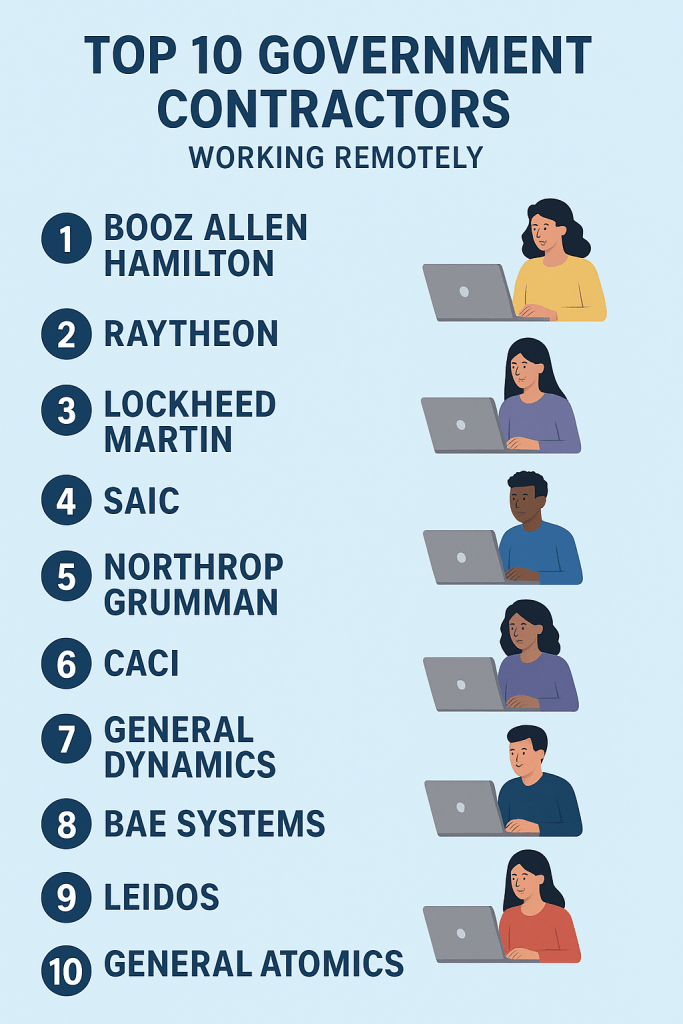
    Remote contractors who support government technology work.

    2. Key Impacts on State Employment and Institutional Capacity

    a. Workforce Structure and Morale

    The growing reliance on contract labor can alter workforce cohesion. State employees may experience role ambiguity or diminished motivation when contractors occupy parallel or higher-compensated positions. This dynamic underscores the need for transparent communication about workforce strategy and equity.

    b. Fiscal and Resource Management

    From a budgetary standpoint, contract work offers flexibility but often at a premium cost. While contracting circumvents the fixed expenses of full-time staffing, it can erode internal capability if used excessively. Leadership must balance short-term fiscal agility with long-term capacity building to avoid structural dependency on external providers.

    c. Knowledge Retention and Continuity Risks

    Contract engagements frequently conclude without structured knowledge transfer. When institutional knowledge leaves with contractors, agencies lose valuable operational memory. This poses a long-term governance risk  especially in areas like IT systems, regulatory processes, and stakeholder management.

    d. Strategic Agility

    On the positive side, contractors can enable agencies to rapidly mobilize expertise in response to emergencies, legislative changes, or federal mandates. This operational agility is particularly vital for technology transitions and time-sensitive grant-funded projects.


    3. Identifying Structural Gaps and Opportunities for Strategic Partnership

    Contract work exposes several systemic gaps that can inform future workforce and procurement policy:

    a. Technical and Skill Gaps

    State agencies face persistent shortages in digital, analytical, and project management skills. Contractors with certifications such as PMP, Agile/CSM, and Lean Six Sigma often fill these gaps effectively. Strategic leaders can use contracting as a bridge while simultaneously investing in upskilling public employees for long-term self-sufficiency.

    b. Process and Systems Gaps

    Outdated systems and siloed workflows remain common across government operations. Contractors skilled in process mapping, automation, and system integration can accelerate modernization efforts. However, these engagements should include explicit capacity-building outcomes for internal staff.

    c. Governance and Change Management Gaps

    Major transformation initiatives often falter not for technical reasons, but due to weak governance and resistance to change. Contractors with organizational change management (OCM) expertise can support leadership in establishing clear accountability structures, communication frameworks, and performance metrics.

    OCM consultants

    d. Operational Efficiency Gaps

    Contractors bring private-sector methods that can improve efficiency and responsiveness. Leaders should ensure that these methods are institutionalized, not isolated — transforming them into repeatable practices across the organization.


    4. Leadership Strategies for Sustainable Contract Integration

    To ensure that contract work enhances rather than undermines institutional capacity, policy and executive leaders should:

    1. Embed Knowledge Transfer Requirements:
      Contracts should include deliverables for documentation, internal training, and process standardization.
    2. Balance Fiscal Flexibility with Workforce Development:
      Use contracting strategically for specialized expertise, while investing in career pathways for state employees.
    3. Implement Governance Oversight:
      Establish cross-functional review boards to evaluate contractor performance, cost-effectiveness, and compliance with agency values.
    4. Promote a Collaborative Workforce Culture:
      Encourage inclusive project teams that integrate contractors and state employees under shared goals, rather than parallel workstreams.
    5. Adopt Data-Driven Workforce Planning:
      Use analytics to track contractor utilization, cost patterns, and skill gaps — aligning procurement strategy with long-term workforce policy.

    Conclusion

    Contract work is not merely a staffing mechanism; it is a strategic lever for modernization and mission delivery. However, without deliberate policy design and leadership oversight, it can inadvertently weaken the public-sector foundation it aims to support.

    For state leaders, the challenge and opportunity lies in creating a hybrid workforce strategy that leverages the innovation and agility of contractors while safeguarding the continuity, accountability, and institutional knowledge that define public service.

    A sustainable approach to contract integration will ensure that the state’s workforce both permanent and contingent operates as a cohesive, mission-driven system capable of meeting the complex demands of modern governance.


  • For State Employees


    Understanding the Shutdown

    A government shutdown occurs when Congress fails to pass annual appropriations bills or temporary funding resolutions to keep federal agencies operating. When this happens, the federal government legally loses its authority to spend money, forcing a suspension of all non-essential operations.

    Although shutdowns are often seen as political events, their effects ripple across every level of government — federal, state, and local — affecting public employees, contractors, and essential services.


    Impact on State Employees: Who Gets Paid and When

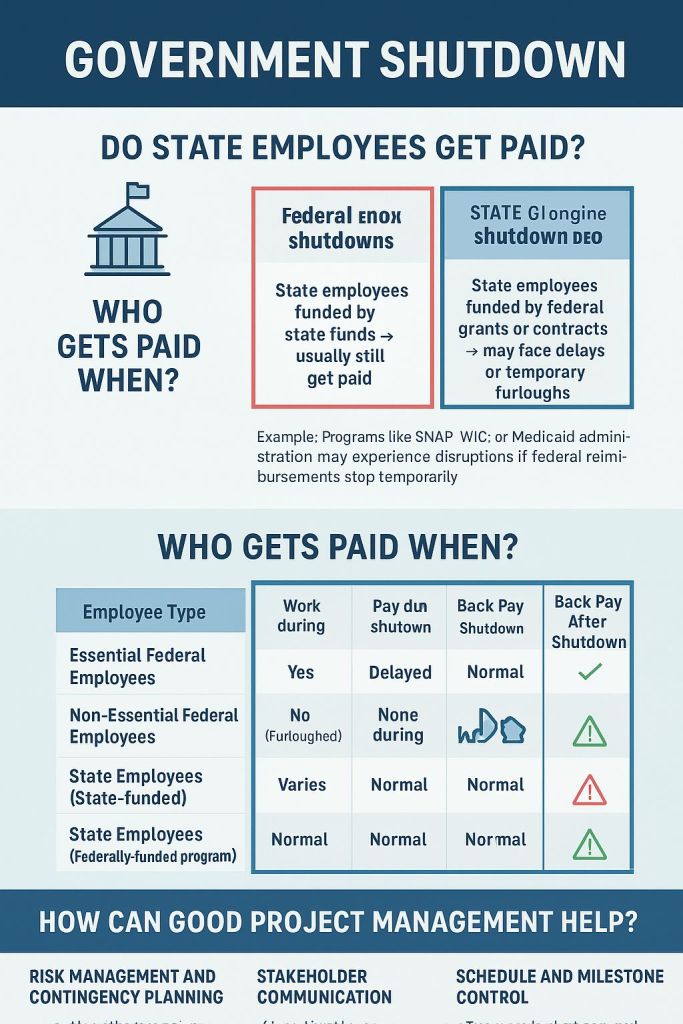
    The impact of a federal shutdown on state employees depends largely on how their positions are funded.

    • State-Funded Employees:
      Those whose salaries come solely from state resources typically continue to work and receive regular paychecks, since state budgets operate independently of federal appropriations.
    • Federally-Funded or Shared-Funded Employees:
      Many state programs, such as Medicaid, SNAP, or certain transportation and education initiatives, rely on federal grants. When those funds are interrupted, states may temporarily furlough employees or delay payments until federal funding resumes.
    • Essential Employees:
      Both federal and state governments maintain essential operations — including public safety, healthcare, and emergency response. Essential employees are required to work even during shutdowns, though their pay may be delayed until after government funding is restored.
    Employee payment pathways

    Why Shutdowns Happen

    While frustrating and disruptive, shutdowns occur due to the Antideficiency Act, a law that prohibits government agencies from spending money not authorized by Congress. Without approved funding, agencies must halt non-essential services to comply with the law.

    Shutdowns are often triggered by:

    • Political disagreements over spending priorities or policy provisions.
    • Delays in passing appropriations bills or continuing resolutions.
    • Policy riders that attach controversial measures to essential funding bills.

    Although intended as a safeguard for fiscal discipline, shutdowns can cause extensive disruptions, halting programs, delaying payments, and undermining public trust.


    How Project Management Can Prevent or Mitigate Shutdown Impacts

    Effective project management provides tools and structures that can reduce the frequency, duration, and severity of shutdowns. When applied to budget processes and interagency coordination, project management disciplines can turn chaos into continuity.

    1. Risk Management & Contingency Planning

    Proactive identification of high-risk areas—such as programs dependent on federal funds—helps agencies create contingency plans. Maintaining reserve funds or alternate agreements ensures continuity of essential operations.

    2. Stakeholder Communication

    A strong communication plan keeps policymakers, employees, and the public informed. Regular updates and scenario planning reduce confusion and panic during potential shutdowns.

    3. Schedule and Milestone Control

    Treating the budget approval cycle as a project—with clear deadlines, responsibilities, and dependencies—enables better tracking and early detection of delays. Tools like Gantt charts or Agile sprints can ensure progress visibility.

    4. Change and Issue Management

    Structured decision-making frameworks allow political and administrative teams to handle policy disputes earlier, preventing them from stalling the entire funding process.

    5. Process Improvement and Lean Thinking

    Applying Lean Six Sigma and continuous improvement principles to the budgeting process helps eliminate redundancy, streamline reviews, and shorten the time between proposal and approval.


    The Bigger Picture

    Shutdowns are not merely political stand-offs—they are project and process failures that cost taxpayers billions and strain public trust. While laws like the Antideficiency Act enforce accountability, it is disciplined project management, communication, and foresight that can prevent these crises.

    By managing the budget process like a complex, multi-stakeholder project—with defined risks, milestones, and contingency strategies—government leaders can create a more resilient public sector that continues to serve citizens even amid political uncertainty.


    Conclusion

    A government shutdown may be a legal necessity under certain circumstances, but it should never be a recurring feature of governance. The key to avoiding such costly disruptions lies in strong project management practices, proactive risk planning, and a commitment to operational transparency.

    When government acts with the same discipline and foresight it expects from private-sector projects, it can ensure that essential services never stop — no matter what happens in the political arena.


  • Using the 5 Whys Technique in Government Technology: A Path to Root-Cause Problem Solving

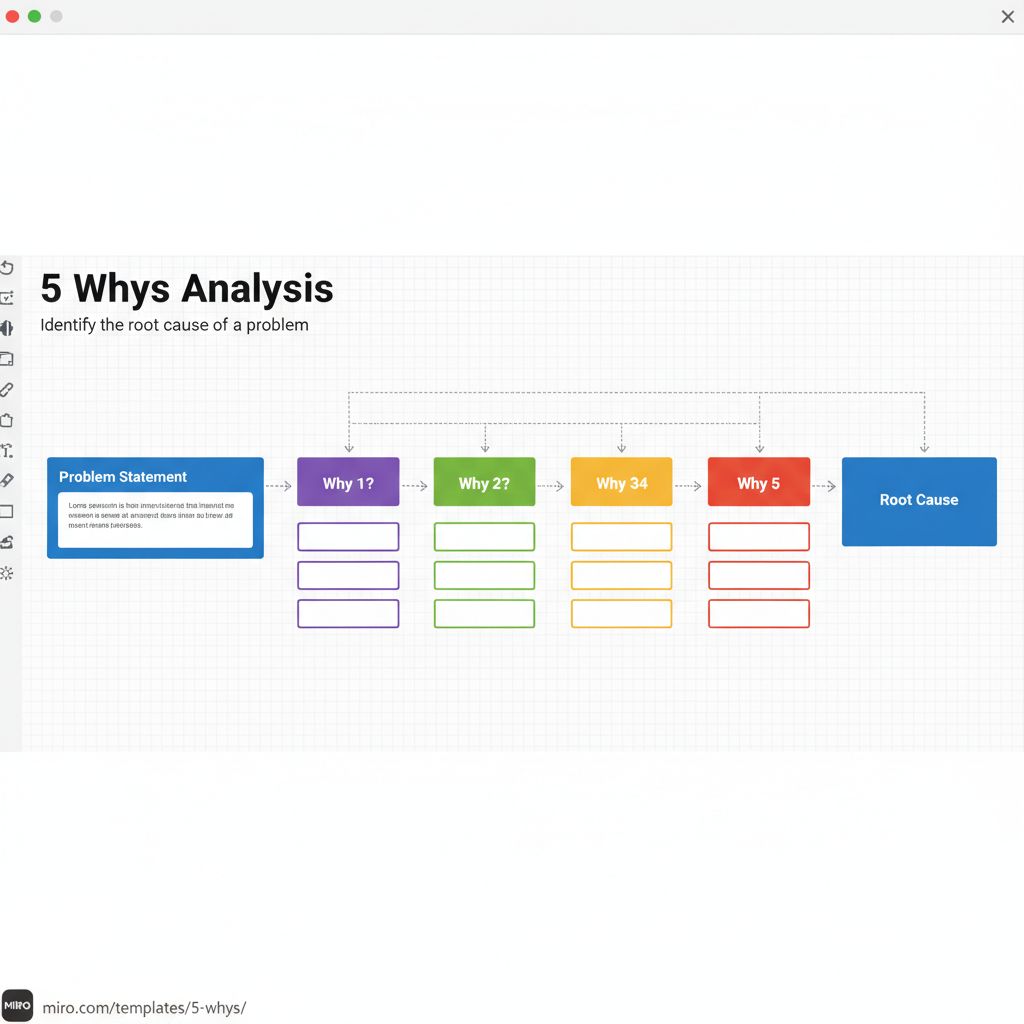
    In the fast-evolving world of government technology, challenges often arise that impact efficiency, service delivery, and public trust. From system outages to data integration issues, identifying the real cause of a problem, not just the symptoms; is essential. One of the most effective and simple methods for this is the 5 Whys technique. Originally developed by Toyota for process improvement, the 5 Whys method involves asking “Why?” repeatedly (typically five times and when needed 7 times) to trace a problem back to its root cause.

    How It Works

    The 5 Whys technique starts with a problem statement and then systematically digs deeper:

    1. Identify the problem: e.g., “The citizen portal is frequently crashing.”
    2. Ask why it happened: “Because the system overloads when multiple users log in.”
    3. Ask why again: “Because the server capacity is limited.”
    4. Ask why again: “Because the infrastructure hasn’t been upgraded in five years.”
    5. Ask why again: “Because there’s no regular technology assessment or maintenance plan.”

    At the fifth “why,” the organization discovers that the true issue isn’t the crash itself. it’s the lack of proactive IT management.

    Why It’s Effective in Government Technology

    Government systems are often complex, layered, and subject to multiple compliance and budgetary constraints. The 5 Whys technique helps cut through bureaucracy by providing a structured yet simple approach to problem-solving that doesn’t require expensive tools or deep technical expertise. It encourages critical thinking, collaboration, and accountability, allowing project teams, IT managers, and policy leaders to align on the real issue instead of focusing on quick fixes.

    Moreover, applying the 5 Whys method promotes continuous improvement in digital transformation initiatives. It ensures that technology investments are data-driven and sustainable, reducing rework, cost overruns, and citizen frustration.

    Miro board – effective and efficient
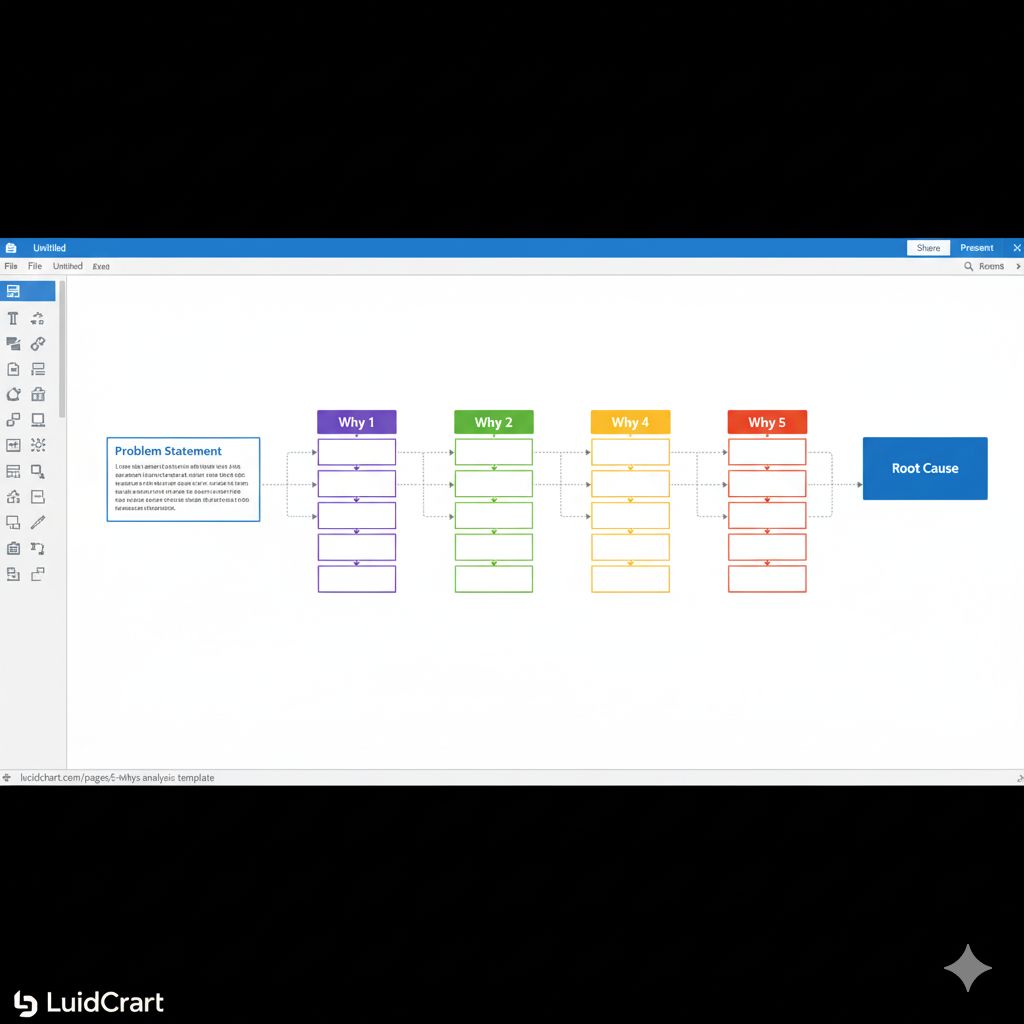
    Lucid chart- clean and pristine
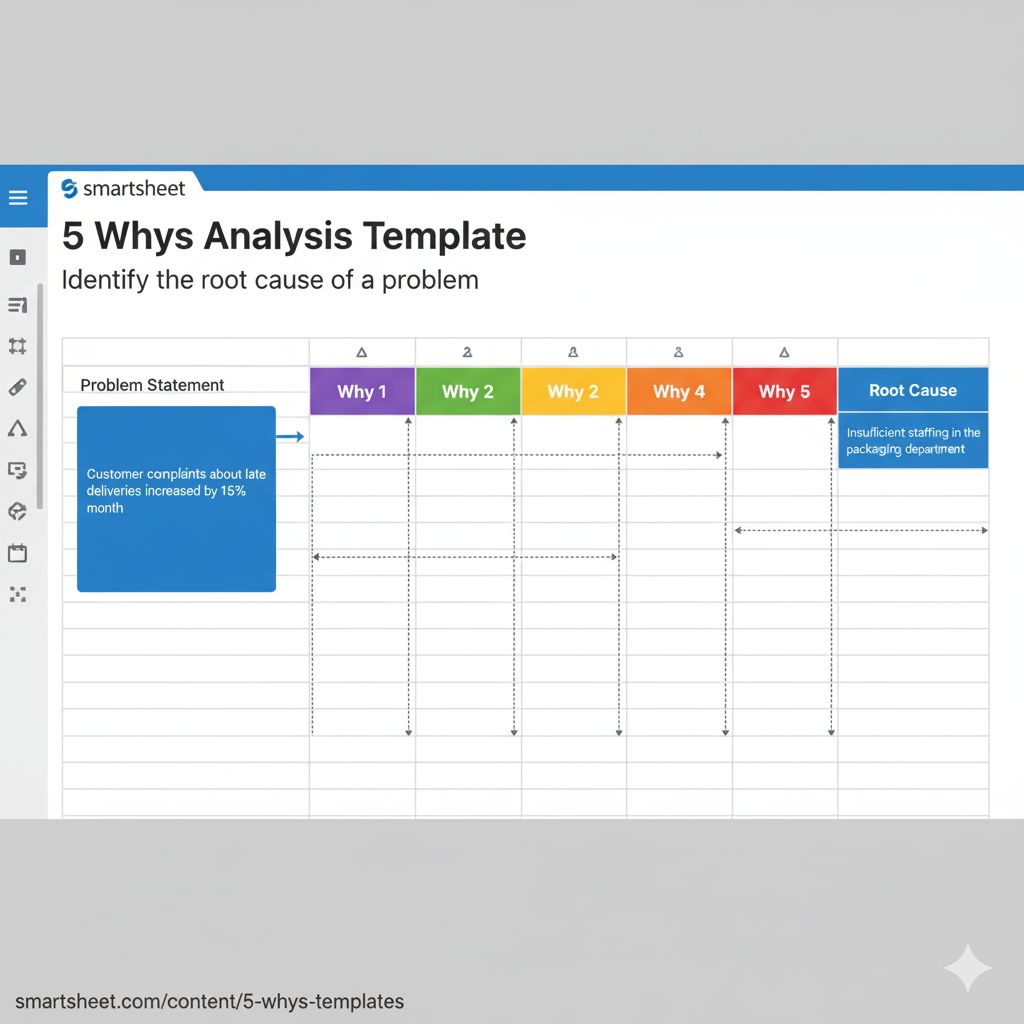
    Smartsheet – smartest of all

    Example in Action

    When a government’s online permit application system slows down, instead of immediately upgrading the software, teams can use the 5 Whys to discover that the true problem lies in outdated workflows or missing API integrations. Fixing the root cause not only resolves the issue but also enhances overall service delivery efficiency.

    Conclusion

    The 5 Whys is more than a diagnostic tool. it’s a mindset of curiosity and accountability. In government technology, where systems must serve citizens reliably and transparently, this method can transform how teams approach challenges. By asking “why” just five times, agencies can uncover root causes, implement lasting solutions, and build a stronger foundation for innovation and trust.